Removal Guides
We at Malwarefixes.com are offering a complete guide to removing computer viruses and malware. Our comprehensive resources are intended to assist computer users in understanding, detecting, and getting rid of threats that contaminate the browser or system in general. The guide on this website covers almost every threat known to the computing world, including viruses, Trojans, spyware, ransomware, and even simple browser redirect issues. To ensure that visitors can execute the guide with ease, we provide step-by-step directions. This covers detecting the malware, uncomplicated removal, and restoring the computer to its previous normal working condition.
We only recommend legitimate and reliable antivirus and anti-malware solutions that have been tested and proven by our own team of computer security enthusiasts. These solutions ensure that your computer is safe and threats are taken care of without sacrificing too much effort and expenses. As much as possible, we want it free, but giving your computer an efficient means of protection may require a full licensed version of a recommended application.
By following our malware removal guides, you may confidently choose the solutions that best suit your needs. We may offer paid products to secure the system against future attacks; nevertheless, users always have the ultimate decision on this.
Whether you’re a tech novice or a seasoned computer user, our malware removal tutorials offer useful insights and practical advice to help you address computer difficulties and keep it secure and clear of viruses, malware, and other threats.
Our recommended tools
 |
Features: On-demand malware Scanner, Real-time protection, Anti-ransomware protection, Duplicate File Finder, Big Files Finder, Dedicated Support Team |
 |
Features: Block viruses and other malware, Scan for Wi-Fi security weaknesses, Ransomware security, Avoid fake sites for safer shopping, Safely run suspicious apps, Lock out hackers with an advanced firewall, Stop webcam spying, Permanently shred sensitive files |
 |
Features: AI-powered, superior security, Robust scam protection, Lightweight and intuitive, 24/7 human support |
 |
Features: Malware Scan and Clean, AI Threat Detection, Ransomware Security, Security Management, Web Protection, Real-Time Scanning, Parental Web Filtering, Premium Support |
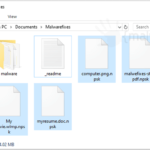
Ransomware is a kind of malware formulated to restrict access to personal files until ransom money is paid. One example of ransomware is the Npsk virus. It targets important files saved on the computer, such as photos, images, archives, databases, and personal documents.
Remove Npsk Ransomware (.npsk File Recovery) Read More »
The website Blockedvideos is misleading. This page is being used by online criminals as a separate distribution route for several types of potentially unwanted program (PUP). However, these attackers must first enable the default website to receive push notifications from Blockedvideos before they can move further with the aggressive advertising of dubious applications.
Blockedvideos Pop-up Removal Read More »
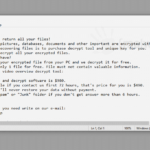
The extremely dangerous computer attack known as Mztu ransomware prevents users from accessing their information. This cryptovirus was designed to encrypt and lock all critical data using a complex algorithmic pattern.
Mztu Ransomware – Virus Removal Read More »
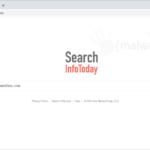
A browser plugin called Search InfoToday is promoted online as being useful for tracking down parcels or shipments right from the homepage and new tab window. It offers a readily accessible text area for entering the tracking number and a carrier to quickly determine the whereabouts of the delivery.
Remove Search InfoToday Read More »
Trovi.com is a typical home page hijacker that normally enters the computer through third-party programs. Aside from overtaking the home page, this adware can also add the Trovi Toolbar to the browser, bearing various icons and shortcut links.
Remove Trovi.com Hijacker Read More »
The dubious browser extension QuicklySeek targets well-known online programs like Google Chrome, Firefox, and Microsoft Edge. It is referred to as a potentially unwanted program (PUP) by computer security analysts because of how cunningly it infiltrates the computer using a variety of techniques.
QuicklySeek Search Hijacker – Removal Guide Read More »
Myreqdcompany.com is a domain that is being utilized by cyber thieves to redirect web pages to strange sites that are typically involved in unpleasant issues, including online gambling, surveys, adult sites, phishing pages, and pointless bonus contents.
How to Remove Myreqdcompany.com Read More »
A homepage hijacker from the adware family is called the “Apps” Chrome extension. Only if the user installs pertinent adware can this form of attack cause changes to the browser. With the aid of questionable shareware and freeware, it can easily be transmitted over the internet.
Remove “Apps” Google Chrome Extension Read More »